Three Commands, Four Documents: The AI Workflow That Actually Ships
Table Of Contents
Here’s the thing about learning from failure: sometimes you realize you had the answer all along.
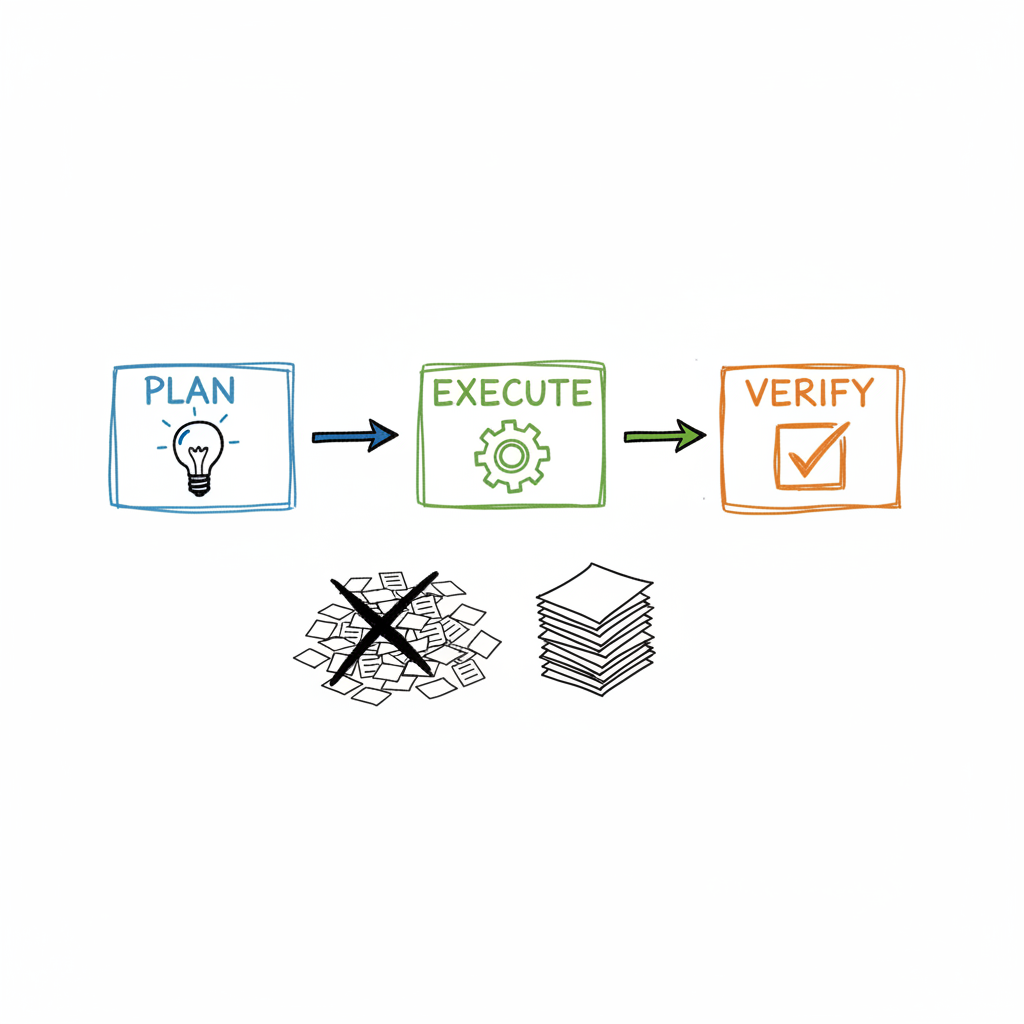
In my previous post, I confessed to spending $10 and generating 13 documents for a label change. I promised to show you the fix—the Plan→Execute→Verify loop that actually works.
Plot twist: I had that workflow before the disaster. Three commands. Four documents max. It shipped features same-day instead of same-week.
Then I got seduced by the “AI team” dream. Subagents everywhere. PM agents, architect agents, QA agents. The sophisticated approach. The professional approach.
I abandoned something that worked for something that seemed more impressive.
The sophistication was the problem.
The core insight: complexity scoring
Before we dive into commands, let me tell you about the gate that keeps everything sane.
Every task gets a complexity score from 1 to 5. This isn’t just a number—it’s the decision that determines how much process you actually need.
Score 1-2: Minimal overhead. Direct execution. No specs breakdown. Think: fixing a typo, adding a config value, simple CRUD that follows existing patterns.
Score 3+: More documentation. More checkpoints. Specs breakdown into sub-tasks. Think: new feature touching multiple services, architectural changes, anything where “it’s complicated” isn’t just an excuse.
Here’s why this matters: the score forces consensus between me and Claude.
When I look at a task, I have an intuition about whether it’s simple or complex. The complexity score forces Claude to articulate that same assessment—and more importantly, to justify it. Then I can push back.
Claude might score a task as 4/5 because “test data requires migrations.” But I know that test data has no real users—it’s throwaway. That context changes everything. Through that back-and-forth, we reach agreement. The score usually drops by 1-2 points when I provide context Claude couldn’t have known.
From my /codePlanner skill:
Don’t treat simple fullstack as complex just because it touches both ends. Consider YOUR capabilities—if you’re good at something, lower the score. Factor in VERIFICATION complexity—easy to build but hard to verify means higher score.
That last point is subtle but crucial. A feature might be trivial to implement but require complex testing. That verification complexity bumps the score, which triggers more documentation around test cases.
The score gates everything else. Get this wrong, and you’re either over-engineering simple changes or under-preparing for complex ones.
The three commands
My entire workflow lives in three Claude Code skills: /codePlanner, /startWork, and /completeWork. That’s it. No PM agent. No architect agent. No separate QA agent spawning subagents of its own.
Command 1: /codePlanner (the Plan phase)
Purpose: Understand before acting.
This is where context gathering happens. The skill reads the project structure, pulls the GitHub ticket (if there is one), searches memory for relevant past decisions, and sometimes even hits the web for API documentation.
Then it produces one document: taskFindings.md.
# Purpose
One-liner describing what we're building

## Original Ask
The exact requirements, copied verbatim

## Complexity and the reason behind it
Score out of 5, with justification

## Architectural changes required
What needs restructuring (or "None required")

## Backend changes required
Detailed implementation plan

## Frontend changes required
Detailed implementation plan

## Validation
What to test, how to test, commands to run
Key design decision: The plan gets written to file before presenting to me. This creates persistence—if my context window resets, the plan survives.
Human checkpoint: I review this document. I can iterate (“change the approach to X”) or approve. Work doesn’t start until I say so.
This is where 90% of mistakes get caught. Wrong complexity assessment? Catch it here. Missing requirement? Catch it here. Architectural decision I disagree with? Catch it here.
Command 2: /startWork (the Execute phase)
Purpose: Do the work, with smart checkpoints.
Once I approve the plan, /startWork reads taskFindings.md and gets to work. First decision: branch management.
- Complexity 1-3: Same branch is fine
- Complexity 4+: Separate branch recommended
I can override this, but the recommendation is usually right.
Then it writes one file: currentCommitHash—just 40 bytes containing the git hash where work started. This tiny file enables “what changed since we began?”
The actual development follows a checkpoint strategy:
- Commit after each major component (not minor changes)
- After each checkpoint: incremental typecheck, related tests only
- At final checkpoint: full test suite
Key design decision: Commits don’t get pushed yet. Work stays local until verified.
Command 3: /completeWork (the Verify phase)
Purpose: Validate before shipping.
This command reads taskFindings.md to recall the original ask, then reads the diff between currentCommitHash and HEAD. It runs the full test suite, validates that the implementation matches what was requested, and generates a validation report (backend-validation.md or frontend-validation.md).
If anything fails, it fixes until it passes. No “partial done.” No “we’ll clean that up later.”
Human checkpoint: I see the validation report before push happens. I can request more testing. I can request fixes. Push only happens after this approval.
The artifacts (and why there’s only four)
Here’s what a completed task produces:
| Artifact | Size | Purpose |
|---|---|---|
| taskFindings.md | 2-10KB | The plan, requirements, validation criteria |
| currentCommitHash | 40 bytes | Starting point for diffing |
| validation.md | 2-5KB | What was verified, test results |
| taskWalkthrough.md | Optional | Product owner documentation |
Compare this to my 13-document disaster:
- PM Analysis
- Architect Review
- Planner Breakdown
- Backend Spec
- Backend Implementation Notes
- Backend Tests Doc
- QA Report (Backend)
- Frontend Spec
- Frontend Implementation Notes
- Frontend Tests Doc
- QA Report (Frontend)
- Integration Test Report
- Release Notes
Same task. Same outcome. 4 documents instead of 13. $3-8 instead of $10+. Same day instead of same week.
The hidden benefit: taskFindings as ADR
Here’s something I didn’t plan but turned out to be valuable.
taskFindings.md isn’t just a plan—it’s an Architecture Decision Record (ADR).
Every completed task leaves behind:
- WHAT we decided to build
- WHY we made those decisions (the complexity reasoning)
- What alternatives we considered (implicit in the approach taken)
Most teams have a planning doc (Jira ticket), separate ADRs (when they remember to write them), and implementation notes scattered across PR descriptions. Three places for the same information.
My workflow collapses these into one document that:
- Drives the implementation
- Survives as documentation
- Links to the actual commits (via currentCommitHash)
No separate ADR ceremony. The planning IS the documentation.
Why single agent beats subagents
In my previous post, I talked about the subagent amnesia problem:
Each subagent invocation creates a new instance. No shared memory. No “hey, remember when we decided X?” No accumulated team knowledge.
The obvious fix seems to be: write everything to files, have subagents read files.
But here’s the subtle problem: the re-read problem.
Main Agent: Understands codebase, reads taskFindings.md
    ↓
Spawns Subagent: Fresh context, must re-read taskFindings.md
    ↓
Subagent spawns another: Fresh context, re-reads AGAIN
Same information. Loaded multiple times. Same tokens, billed multiple times.
Without subagents:
Single Agent: Understands codebase from chat context
    ↓
Reads taskFindings.md ONCE (for persistence across sessions)
    ↓
Continues working with accumulated context
Files serve two completely different purposes:
- PERSISTENCE: Surviving context window limits (good, necessary)
- HANDOFF: Agent-to-agent communication (expensive, often unnecessary)
When you stay in one agent, the chat IS your context. Files become checkpoints for resumption, not communication channels between amnesiacs.
The human checkpoints (where you stay in control)
My workflow has exactly three human touchpoints:
Checkpoint 1: Plan Review
- After
/codePlanner, I review taskFindings.md - Can iterate or approve
- This catches wrong approaches before work begins
Checkpoint 2: Branch Decision
- Based on complexity, Claude recommends same branch or new branch
- I can override
- Small friction, big safety
Checkpoint 3: Validation Review
- After
/completeWork, I see the validation report - Can request more testing or fixes
- Push only happens after I approve
What’s NOT a checkpoint:
- Commit messages (automated)
- Incremental typechecks (automated)
- Running related tests (automated)
The philosophy: Automate the mechanical. Checkpoint the strategic.
The failure mode you need to know
Even with this workflow, there’s a gap.
Recently, I had a task where validation said everything passed. Eight test cases, all green. Types checked. Build succeeded.
Then I did manual testing and found: the implementation used REST APIs with Swagger when I’d asked for MCP. (In a separate analysis, I’d concluded that MCP is better for distributing auth with skills than Swagger—different reasons, but the point is I had a specific approach in mind.)
The tests verified that what was built worked. They didn’t verify that what was built matched what was asked.
This is the uncomfortable truth: no amount of automation catches “correct implementation of wrong requirements.” That’s a human judgment call.
This is exactly why /completeWork has a validation review checkpoint. I see:
- What was asked (taskFindings.md)
- What was built (diff from currentCommitHash)
- What was verified (validation report)
The human catches the gap. “Wait, I asked for MCP, why is there Swagger?”
Automation handles the tedious verification. Human judgment handles the alignment verification.
Real example: skill download feature
Let me walk you through an actual task.
The ask: Implement Claude Code skill download functionality with two endpoints—POST to generate a skill package, GET to download the ZIP.
Phase 1: /codePlanner
Output: taskFindings.md with:
- Complexity: 2/5 (straightforward CRUD following existing patterns)
- Backend changes: Migration, handler, templates, routes
- Validation: 8 test cases with curl commands
Why 2/5? No complex business logic—mainly string templating and ZIP generation. Database schema change is additive (new columns with defaults). All infrastructure already exists.
What it DIDN’T trigger: PM analysis, architect review, specs breakdown, multiple approval chains.
Human checkpoint: I reviewed, approved.
Phase 2: /startWork
Writes currentCommitHash: 0c4350ad541306c3bb734f910a2ca6db5575bf60
Implements migration, handler, templates. Commits after each major component. Runs incremental typechecks.
No human checkpoint during execution. Work proceeds based on the approved plan.
Phase 3: /completeWork
Runs all 8 validation test cases. Generates backend-validation.md. All tests pass.
Human checkpoint: I reviewed the validation report, approved push.
Total artifacts: 4 documents. One complete API feature. Not 13.
Lessons and anti-patterns
What this workflow teaches:
- Match process to complexity — Don’t use a sledgehammer for a nail
- Files beat conversations — Context that persists beats context that fades
- Checkpoint strategically — Review decisions, not mechanics
- One source of truth — taskFindings.md is THE document, not a chain of handoffs
Anti-patterns to avoid:
- The Over-Speccer — Writing specs for complexity 1 tasks
- The Checkpoint Junkie — Reviewing every commit message
- The Document Hoarder — Keeping old artifacts “just in case”
- The Branch Fanatic — New branch for every typo fix
The uncomfortable admission
These three commands existed before my subagent disaster. I abandoned something that worked for something that seemed more sophisticated.
I tried to recreate the best team I ever had—the 2022 team with clear roles and clean handoffs. But that team worked because of humans. Persistent memory. Shared context. Years of working together.
AI agents aren’t humans. They don’t remember. They don’t accumulate. And when you structure them like a human team, you get the overhead without the benefits.
The fix wasn’t better agents. It was fewer layers. Simpler structures. Human judgment where it matters, AI execution where it doesn’t. (This is also why configuration matters as much as capability—and why comparing agents on the same task revealed more about setup than about the models themselves.)
Three commands. Four documents. Same tools. Same models. Fewer delusions of grandeur.
Do or do not. There is no 13-document approval chain.
May the force be with you…
Running a similar workflow? I’d love to hear how you’ve structured your AI agent setup—especially the gates and checkpoints that keep things from spiraling. The usual channels work.